

Webhooks
Webhooks let Stringhive push events to your server in real time. When a string is translated, when someone approves a batch, when a source string changes: your endpoint hears about it instantly.
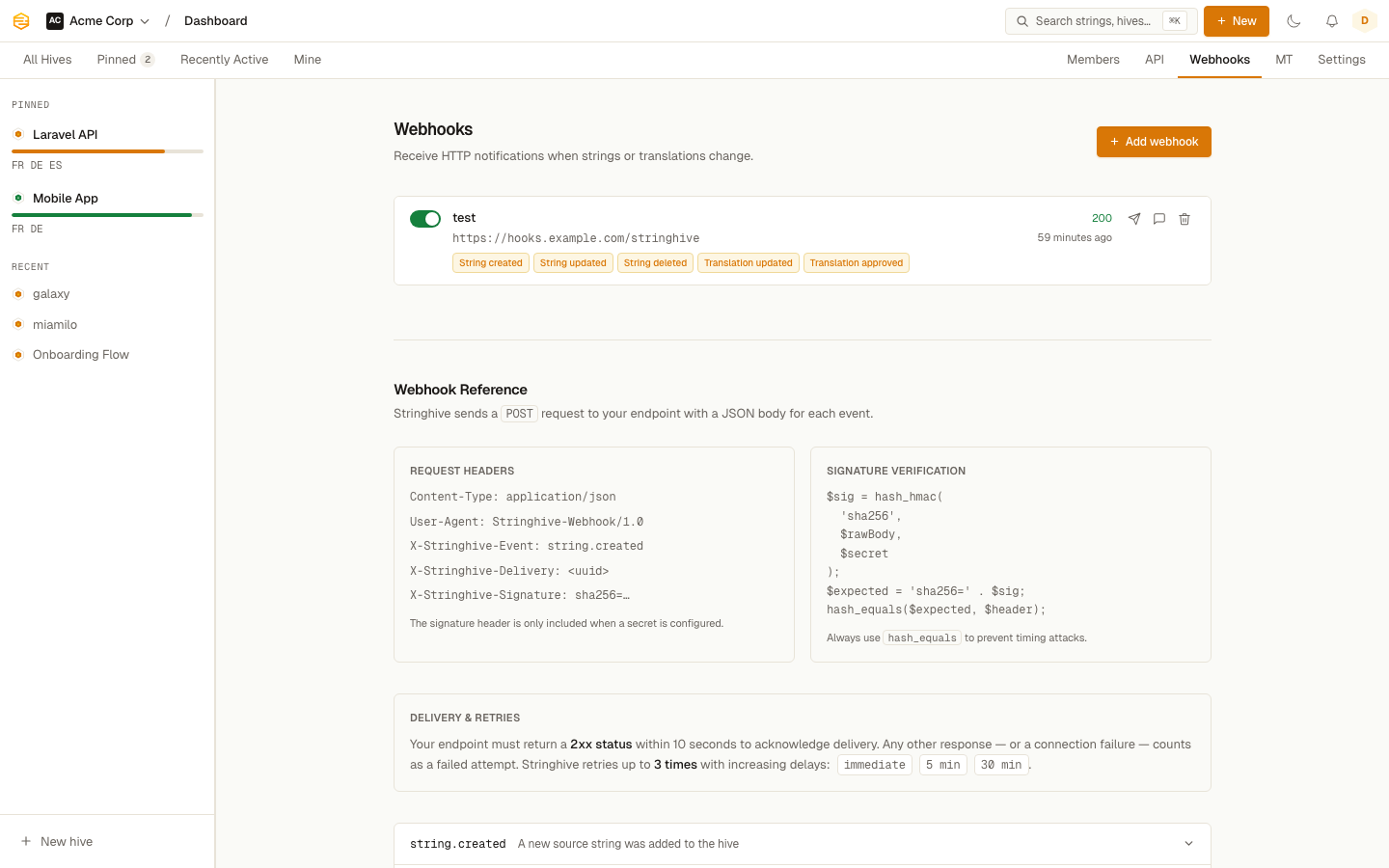
Setting up a webhook
Go to Settings > Webhooks and click New Webhook. You'll need:
- Name: a label so you remember what this webhook is for
- URL: your HTTPS endpoint. HTTP is not accepted.
- Secret: optional, but recommended. A random string used to sign the request so you can verify it came from Stringhive.
- Events: choose which events trigger this webhook
Save it. Stringhive will start sending events immediately.
Available events
| Event | When it fires |
|---|---|
string.created |
A new source string is added to a Hive |
string.updated |
A source string's value is changed |
string.deleted |
A source string is deleted |
translation.updated |
A translation is created or modified |
translation.approved |
A translation is approved |
comment.created |
Someone leaves a comment on a string |
locale.completed |
Every string in a Hive is approved for a locale |
You can subscribe to any combination of events. One webhook can listen to all events or just the ones you care about.
Testing a webhook
After creating a webhook, you can fire a test event from the UI. Click the webhook in the list and use the Send test button. The delivery log shows the response.
Viewing delivery history
The delivery log for each webhook shows the last 10 deliveries: the event type, the HTTP response status, and the response body. If something went wrong, this is where you look first.
Disabling a webhook
Toggle the Active switch on the webhook. Disabled webhooks receive no events and no deliveries are attempted.