

Machine Translation Setup
Connect machine translation providers and Stringhive will automatically route each language pair to whichever provider your translators accept most often. As acceptance data builds up, the best provider is selected automatically — no manual switching needed.
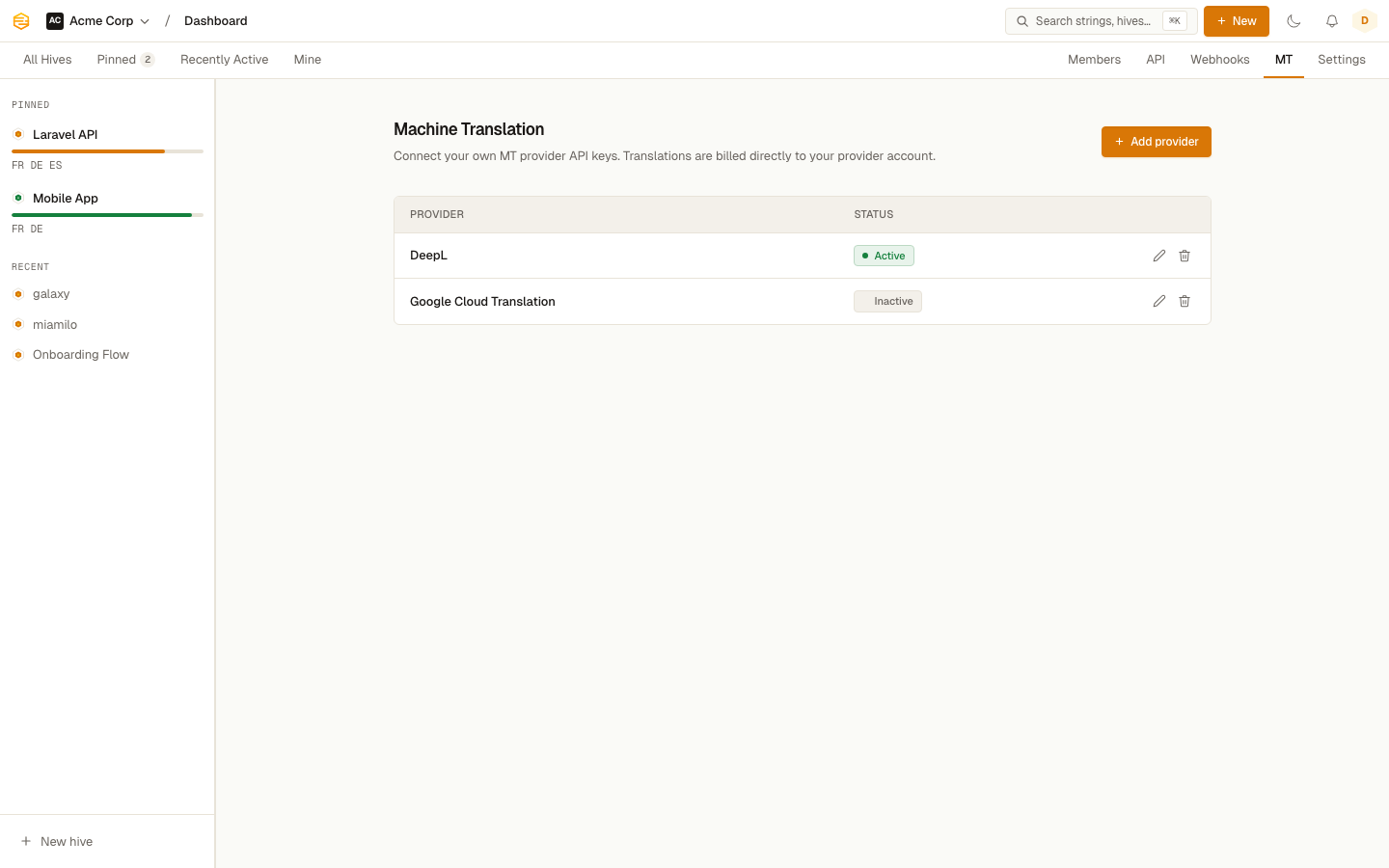
Adding a provider
Go to Settings > Machine Translation. Click Add provider and choose from:
- DeepL (EU, Germany): best quality for European languages; uses the native context parameter for richer input
- ModernMT (EU, Italy): context-aware adaptive MT with broad language coverage; learns from translator corrections over time
- Mistral AI (EU, France): LLM-based translation with full context and glossary support; a strong choice for teams requiring EU data processing
- Google Cloud Translation (US): broad language coverage
- Azure Translator (US): Microsoft's offering, good coverage
- OpenAI (US): richest context support; receives the full string context, translation memory, and adjacent strings in the system prompt
Each provider badge shows where your data is sent. EU-badged providers process data entirely within the European Union.
Each provider needs different credentials:
| Provider | Required |
|---|---|
| DeepL | API key |
| ModernMT | API key |
| Mistral AI | API key |
| Google Cloud Translation | API key |
| Azure Translator | API key + region |
| OpenAI | API key |
Enter the credentials and click Save. Toggle the provider to Active to include it in routing.
Quality routing
When you have multiple active providers, Stringhive tracks how often translators accept or edit each provider's output for every language pair. Once a provider has at least 20 events for a pair, it becomes eligible for automatic routing.
The settings page surfaces this data under each provider:
DeepL · Active
German — 91% accepted · French — 83% accepted
And an insight banner at the top highlights the overall winner per language:
✓ DeepL is your best provider for German · 91% accepted (143 strings)
Until a language pair has enough data, Stringhive distributes requests evenly across all active providers — this builds comparable data for each one before committing to a winner.
What counts as accepted
When a translator uses MT and saves the result, Stringhive compares the saved text to the original suggestion:
| Similarity to suggestion | Outcome |
|---|---|
| ≥ 90% | Accepted |
| 50–89% | Modified |
| < 50% or discarded | Rejected |
Only accepted translations count as positive signal for routing decisions.
Getting API keys
- DeepL: deepl.com/account — use the DeepL API Free or Pro plan
- ModernMT: sign up at modernmt.com and generate a key from your account dashboard
- Mistral AI: console.mistral.ai — create an API key from your workspace settings
- Google: create a project in Google Cloud Console, enable the Cloud Translation API, and create an API key
- Azure: create a Translator resource in the Azure portal
- OpenAI: platform.openai.com/api-keys
Usage and costs
Stringhive passes your requests through to the provider using your API key. Costs are billed directly by the provider based on character counts. Stringhive doesn't mark up or meter MT usage.